Make.com Customer Support Triage Workflow: AI Routing & Slack Ops
Problem Context
Support teams funnel requests from email, web forms and Slack. When triage is ad hoc, issues are misrouted, SLAs slip, agents spend time gathering context, and customers get inconsistent replies. This Make.com customer support triage workflow prescribes a production-ready scenario to ingest multi-channel requests, classify intent and priority with AI, attempt safe automated responses, route work into Slack Ops or ticket queues, and sync CRM context while enforcing SLA windows.
Implementation Workflow
Build the scenario as a series of modular Make.com routes: inbound watchers, enrichment, AI classification, rule-based routing, auto-response engine, ticket creation, Slack handoff, and SLA monitors. Implementation steps:
- Ingest (watchers): Use Make watchers for Email (IMAP or Mail apps), the HTTP app for webform webhooks, and Slack Watch modules. Normalize each inbound into a canonical ticket object: {message_id, source, customer_email/external_id, body_text, attachments_meta, timestamp, raw_payload}.
- Normalization & Deduplication: Run a Make Code module (JavaScript/Python) to strip signatures/quoted blocks, compute a message hash, deduplicate, and extract short context snippets (first 300 chars + last 300 chars). Tag messages from Slack threads with thread_ts and channel_id to preserve conversation continuity.
- CRM Enrichment: Call the HTTP app to fetch the customer record by email or external_id from your CRM. Attach account tier, account owner, open ticket count, recent orders, and SLA category to the ticket object. If no record exists, create a lightweight contact stub with minimal identifiers.
- AI Intent & Priority Classification: Use Make’s OpenAI module with GPT-5.4 (or GPT-5.3) to return structured JSON: {intent, sub_intent, priority_score:0-1, confidence:0-1, suggested_tags, escalation_flag}. Provide the model with the canonicalized message, CRM context (minimized), and the last 2–3 interactions. Use temperature=0.0 and a strict output schema to reduce hallucination. Validate output with a schema check in Make Code and map unknown intents to an “ambiguous” bucket.
- Routing Decision Engine: Implement deterministic business rules in Make Code or scenario filters that combine AI outputs with business constraints. Example rules:
- priority_score > 0.85 OR escalation_flag → SLA Urgent queue
- intent == “billing” → Billing queue
- intent == “technical” AND account_tier == “enterprise” → Escalation engineer
- confidence < 0.5 OR ambiguous → Human review queue
Add safeguards to prevent flapping (use state and timestamps) and rate-limit re-routes.
- Automated Response Engine: For resolvable intents (password reset, invoice link, status page), call GPT-5.4 to draft a concise reply using templated prompts that include the customer name and one-line context. Validate generated content for policy and PII—do not include credentials or perform irreversible actions. If the response meets confidence thresholds, send it via SMTP/Email app, return HTTP webhook response for form submitters, or post in-thread in Slack. Mark the ticket as “auto-responded” and log confidence and template id.
- Handoff to Agents with CRM Context: For tickets requiring human intervention, create or update a ticket in the CRM/ticketing system via the HTTP app. Post a Slack Ops card (using Slack blocks) to a team channel with: one-line summary, AI intent & confidence, priority, linked CRM record, recent history, SLA deadline, and action buttons (Accept, Reassign, Mark Urgent). Configure these buttons to call Make callbacks that update ticket state and assignment.
- SLA Enforcement & Monitoring: Persist minimal ticket state (id, status, assigned_agent, created_at, sla_deadline) in Airtable/Sheets or a CRM field. A scheduled Make scenario checks open tickets, escalates those approaching SLA breach (bump priority, notify managers via Slack/email), and writes audit logs. Implement health checks to alert if inbound watchers stop triggering.
Architecture Notes
- Core modules: Make OpenAI (GPT-5.4/5.3), Slack Watch/Post, HTTP app for CRM/ticketing, Make Code app for custom logic, and optional datastore modules (Airtable, Google Sheets).
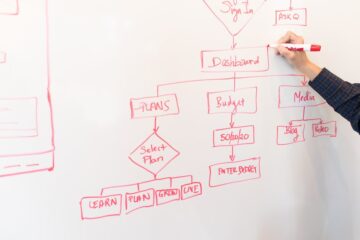
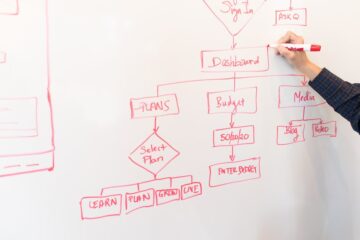
- Dataflow pattern: Ingest → Normalize → Enrich → AI classify → Rule engine → Auto-reply or Ticket create → Slack handoff → SLA monitor.
- State and idempotency: Persist message hashes and ticket state to avoid duplicates and enable replay. Use unique external_ids when creating CRM tickets.
- Prompt engineering: Keep routing prompts compact, include only essential CRM fields and short recent history, request JSON-only structured outputs, and prefer deterministic settings for routing models. Use a separate, more creative prompt style for drafting customer replies when human review is permitted.
- Scalability: Batch enrichment calls where possible, use pagination with the HTTP app, and queue heavy operations (e.g., long document summarization) to asynchronous Make sub-scenarios to avoid timeouts.
Risks and Guardrails
- Misclassification: AI can mislabel urgent issues. Mitigate by routing low-confidence or escalation-flagged items to a human-review queue and surfacing model confidence on Slack cards.
- PII leakage: Minimize PII in AI prompts. Redact sensitive fields in Make Code before sending to external models and log redaction events for audits.
- Unsafe auto-actions: Block automated destructive actions (refunds, password resets). Require agent confirmation tokens for such workflows.
- Agent acceptance & trust: Provide clear override controls in Slack cards and track the auto-response false-positive rate. Use agent feedback (reassigns, edits) as supervised signals to refine prompts and rules.
- Operational resilience: Implement fallbacks (email/SMS) for critical alerts, monitor scenario execution, and add health-check alerts for Make scenario failures.
What To Do Next
- Map your incoming channels and define the canonical ticket schema and SLA windows per priority.
- Implement inbound watchers and the normalizer in Make. Build the CRM enrichment call and persist minimal state for deduplication.
- Prototype and validate intent/priority prompts against GPT-5.4. Establish confidence thresholds and schema validators before routing live traffic.
- Build Slack card templates and action callbacks. Pilot with one team for 2–4 weeks, tracking misroutes and auto-response accuracy.
- Use agent feedback to tune prompts/rules and gradually expand to other teams. Add reporting for SLA compliance and automation ROI.
Sources
- OpenAI GPT-5.4 and GPT-5.3 models now available in Make — Make Help Center (2026-03-11)
- Slack — Make Apps Documentation (2026-03-28)
- New HTTP app is now available — Make Help Center (2026-01-19)
- New GPT Image model and Anthropic Claude module — Make Help Center (2026-01-19)
- Make AI Agents: The next step in automation — Make Help Center (2026-01-19)
- The Make Code app is available — Make Help Center (2026-03-27)
- Slack: Slack Modules Update (Updated March 28, 2026) — Make Slack Integration Documentation (2026-03-28)