WordPress → Make.com → AI: Lead‑to‑Cash Automation Pre‑Launch Checklist
Problem Context
Small and medium businesses using WordPress for lead capture often treat the site as a marketing endpoint only. When you want to automate the full lead‑to‑cash lifecycle—capture → qualification → quote → billing → fulfillment—you must validate each integration boundary before switching to production. This checklist focuses on predictable, testable pre‑launch steps using WordPress (forms, REST API and hooks), Make.com as the orchestration layer, and AI services for enrichment and routing. The goal: remove manual handoffs while avoiding revenue risk from broken automations.
Implementation Workflow (Checklist)
Follow these sequential checkpoints. Treat each as a gate you must pass with automated tests or manual sign‑off.
1) Capture & Contract — WordPress hooks and endpoints
- Decide capture method: WP form plugin webhooks (Gravity Forms, WPForms) vs. native REST endpoint. If using WordPress.com-hosted sites, prefer the WordPress.com REST API for reliability.
- Implement server‑side hook: add a WP REST endpoint or use the form plugin’s webhook to POST a normalized JSON payload (lead_id, name, email, product_id, source, utm, timestamp).
- Sanitize & validate in WP: use prepare_callbacks and permission_callbacks in the REST route to reject malformed requests early. Log every incoming payload to a WP custom post type ‘lead_log’ for debugging.
- Test cases: submit with missing email, invalid product_id, huge payloads. Ensure WP returns clear HTTP 4xx/5xx codes for Make.com to react to.
2) Make.com Integration & Retry Strategy
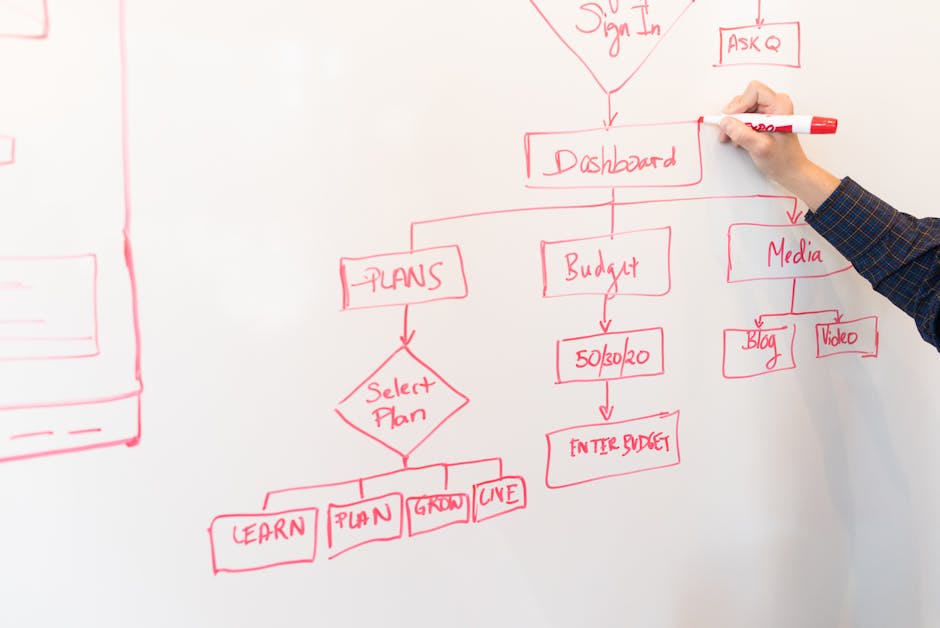
- Create a Make.com scenario triggered by the WordPress webhook or REST poll. Keep the scenario modular: Trigger → Normalizer → Validator → Router → Enricher → Billing → Finalize.
- Implement idempotency: Include lead_id and a dedupe module at the start that checks a lightweight store (Google Sheets, Airtable, or Make.com data store) before processing to avoid double billing.
- Define retry logic: For transient errors (3xx/5xx from downstream APIs), set exponential backoff and a max retry count. For permanent errors, route to an exception queue (Slack + email alert).
- Simulate failures: Force downstream API errors to verify retries and dead letter handling.
3) Validation & Qualification
- Local validation: basic fields, schema checks and business rules (e.g., territory, lead size) happen in Make.com after the normalizer module.
- AI‑assisted qualification: call an AI model to score intent and fit based on description, domain, past interactions. Return a confidence score and category (hot/warm/cold).
- Decision gates: only leads above a configurable score (e.g., 0.75) progress to quote generation; others go to nurture sequences.
- Audit trail: store the model input, output, and model identifier in the lead record for future analysis and regulatory inquiries.
4) Routing & Owner Assignment
- Define routing rules in Make.com: straight rules (region → sales rep) and weighted rules (round robin, capacity). Keep rules externalized in a Google Sheet or Airtable to change without redeploying scenarios.
- Use AI for escalation: if the lead is high value but low confidence, send to senior sales via Slack/Teams and mark as manual review.
- Confirm ownership back to WordPress: update the lead post meta or a custom field via the WP REST API so the site reflects current owner and status.
5) Enrichment & Quote Generation
- Automated enrichment: call external enrichment APIs (company data, billing address, VAT checks) and merge results in Make.com. Only store permitted PII and respect data residency policies.
- AI for templated quotes: use AI to populate a quote template with terms, recommended SKUs and pricing rules pulled from your pricing source (Sheets, ERP). Keep a human review step for quotes above threshold value.
- PDF generation & e‑sign: generate a PDF invoice/quote and send through an e‑sign module (e.g., DocuSign). Ensure webhook returns are handled to confirm signature events.
6) Billing & Order Capture
- Prevent double charges: final billing step must re‑check idempotency store. Use payment provider idempotency keys where supported.
- Sync to accounting: push completed orders to your accounting system or ERP with a single transactional call. Ensure atomicity: if accounting sync fails, mark order as pending and trigger operator alert.
- Receipts and customer updates: send transactional emails from a verified domain and update the WordPress lead status via REST to ‘customer’ on successful payment.
Architecture Notes
- Separation of concerns: keep WordPress as the capture and customer‑facing state store; Make.com orchestrates workflows and calls AI/enrichment/billing services.
- Storage decisions: use WordPress for canonical lead/customer records and a dedicated lightweight datastore for runtime dedupe and queueing (Make.com datastore, Redis, or Airtable).
- APIs and auth: use OAuth or API tokens for Make.com ↔ WordPress communications. Rotate keys regularly and maintain least privilege for tokens.
- Observability: centralize logs from WP, Make.com scenario runs, and AI calls into a monitoring dashboard (Datadog, or a simple Slack/Email alerting channel with error summaries).
Risks and Guardrails
- Billing mistakes: implement a manual approval gate for invoices above X value; stash a ‘hold’ state and require explicit operator authorization before charging.
- AI hallucination: never use AI outputs as the sole source for legal terms or price calculations. Treat AI outputs as suggestions with human‑verifiable inputs.
- Data privacy: only call enrichment APIs with user consent where required. Mask or hash sensitive fields in logs and maintain a deletion workflow mapped to WordPress GDPR requests.
- Rollback and reconciliation: design a daily reconciliation job that compares WordPress lead states, Make.com processed records, and accounting entries to detect mismatches early.
What To Do Next
- Implement a staging site and a Make.com scenario replica. Run synthetic tests covering happy path and failure cases for each module (validation, enrichment, billing).
- Document routing and approval thresholds in a shared governance sheet so non‑technical teams can adjust without code changes.
- Run a 2‑week shadow mode: process real leads but disable live billing (write invoices to a sandbox). Compare metrics and adjust AI thresholds and routing rules.
- Schedule a post‑launch 30‑day review: audit logs, user feedback, failed cases and pricing edge cases; iterate on guardrails and monitoring alerts.
Sources
- WordPress REST API Handbook — https://developer.wordpress.org/rest-api/ (hooks, endpoints, security)
- WordPress.com REST API Reference — https://developer.wordpress.com/docs/api/rest-api-reference/ (hosted API option)
- AWS Best Practices for WordPress — https://d1.awsstatic.com/whitepapers/wordpress-best-practices-on-aws.pdf (deployment and scale guidance)
- Make.com WordPress Integration — https://www.make.com/en/integrations/wordpress (triggers, actions, scenario patterns)
- OpenAI Developer Guidance — https://openai.com/blog/openai-for-developers and https://developers.openai.com/api/reference/overview (AI call patterns, model audit and safety)
Related Reading
- WordPress Automation Pillar
- [{“slug”:”agent-orchestration-playbook-make-com-order-to-cash”,”link”:”https:\/\/greencircuit.co.za\/agent-orchestration-playbook-make-com-order-to-cash\/”,”title”:{“rendered”:”Agent Orchestration Playbook: Make.com for Order\u2011to\u2011Cash Automation”}},{“slug”:”make-com-customer-support-triage-workflow-ai-routing-slack-ops”,”link”:”https:\/\/greencircuit.co.za\/make-com-customer-support-triage-workflow-ai-routing-slack-ops\/”,”title”:{“rendered”:”Make.com Customer Support Triage Workflow: AI Routing & Slack Ops”}},{“slug”:”no-code-business-systems-governance-checklist-non-tech-teams”,”link”:”https:\/\/greencircuit.co.za\/no-code-business-systems-governance-checklist-non-tech-teams\/”,”title”:{“rendered”:”No\u2011Code Business Systems Governance Checklist for Non\u2011Tech Teams”}},{“slug”:”make-com-quote-to-contract-workflow-ai-clause-checks-approvals-e-sign”,”link”:”https:\/\/greencircuit.co.za\/make-com-quote-to-contract-workflow-ai-clause-checks-approvals-e-sign\/”,”title”:{“rendered”:”Make.com quote to contract workflow: AI clause checks, approvals & e\u2011sign”}},{“slug”:”wordpress-editorial-automation-make-ai-draft-review-publish”,”link”:”https:\/\/greencircuit.co.za\/wordpress-editorial-automation-make-ai-draft-review-publish\/”,”title”:{“rendered”:”WordPress Editorial Automation with Make & AI: Draft\u2192Review\u2192Publish”}},{“slug”:”make-com-vendor-onboarding-workflow-ai-kyc-contracts-erp-sync”,”link”:”https:\/\/greencircuit.co.za\/make-com-vendor-onboarding-workflow-ai-kyc-contracts-erp-sync\/”,”title”:{“rendered”:”Make.com Vendor Onboarding Workflow: AI KYC, Contracts & ERP Sync”}}]
- [{“slug”:”agent-orchestration-playbook-make-com-order-to-cash”,”link”:”https:\/\/greencircuit.co.za\/agent-orchestration-playbook-make-com-order-to-cash\/”,”title”:{“rendered”:”Agent Orchestration Playbook: Make.com for Order\u2011to\u2011Cash Automation”}},{“slug”:”make-com-customer-support-triage-workflow-ai-routing-slack-ops”,”link”:”https:\/\/greencircuit.co.za\/make-com-customer-support-triage-workflow-ai-routing-slack-ops\/”,”title”:{“rendered”:”Make.com Customer Support Triage Workflow: AI Routing & Slack Ops”}},{“slug”:”no-code-business-systems-governance-checklist-non-tech-teams”,”link”:”https:\/\/greencircuit.co.za\/no-code-business-systems-governance-checklist-non-tech-teams\/”,”title”:{“rendered”:”No\u2011Code Business Systems Governance Checklist for Non\u2011Tech Teams”}},{“slug”:”make-com-quote-to-contract-workflow-ai-clause-checks-approvals-e-sign”,”link”:”https:\/\/greencircuit.co.za\/make-com-quote-to-contract-workflow-ai-clause-checks-approvals-e-sign\/”,”title”:{“rendered”:”Make.com quote to contract workflow: AI clause checks, approvals & e\u2011sign”}},{“slug”:”wordpress-editorial-automation-make-ai-draft-review-publish”,”link”:”https:\/\/greencircuit.co.za\/wordpress-editorial-automation-make-ai-draft-review-publish\/”,”title”:{“rendered”:”WordPress Editorial Automation with Make & AI: Draft\u2192Review\u2192Publish”}},{“slug”:”make-com-vendor-onboarding-workflow-ai-kyc-contracts-erp-sync”,”link”:”https:\/\/greencircuit.co.za\/make-com-vendor-onboarding-workflow-ai-kyc-contracts-erp-sync\/”,”title”:{“rendered”:”Make.com Vendor Onboarding Workflow: AI KYC, Contracts & ERP Sync”}}]
- [{“slug”:”agent-orchestration-playbook-make-com-order-to-cash”,”link”:”https:\/\/greencircuit.co.za\/agent-orchestration-playbook-make-com-order-to-cash\/”,”title”:{“rendered”:”Agent Orchestration Playbook: Make.com for Order\u2011to\u2011Cash Automation”}},{“slug”:”make-com-customer-support-triage-workflow-ai-routing-slack-ops”,”link”:”https:\/\/greencircuit.co.za\/make-com-customer-support-triage-workflow-ai-routing-slack-ops\/”,”title”:{“rendered”:”Make.com Customer Support Triage Workflow: AI Routing & Slack Ops”}},{“slug”:”no-code-business-systems-governance-checklist-non-tech-teams”,”link”:”https:\/\/greencircuit.co.za\/no-code-business-systems-governance-checklist-non-tech-teams\/”,”title”:{“rendered”:”No\u2011Code Business Systems Governance Checklist for Non\u2011Tech Teams”}},{“slug”:”make-com-quote-to-contract-workflow-ai-clause-checks-approvals-e-sign”,”link”:”https:\/\/greencircuit.co.za\/make-com-quote-to-contract-workflow-ai-clause-checks-approvals-e-sign\/”,”title”:{“rendered”:”Make.com quote to contract workflow: AI clause checks, approvals & e\u2011sign”}},{“slug”:”wordpress-editorial-automation-make-ai-draft-review-publish”,”link”:”https:\/\/greencircuit.co.za\/wordpress-editorial-automation-make-ai-draft-review-publish\/”,”title”:{“rendered”:”WordPress Editorial Automation with Make & AI: Draft\u2192Review\u2192Publish”}},{“slug”:”make-com-vendor-onboarding-workflow-ai-kyc-contracts-erp-sync”,”link”:”https:\/\/greencircuit.co.za\/make-com-vendor-onboarding-workflow-ai-kyc-contracts-erp-sync\/”,”title”:{“rendered”:”Make.com Vendor Onboarding Workflow: AI KYC, Contracts & ERP Sync”}}]